

AI + Video Processing Suite

Generate Videos from Text or Image
with Veo 3, Kling & Sora.

10+ AI video generation models plus a complete video editing toolkit — trim, merge, resize, convert, extract audio, create GIFs, export frames, and apply motion control. Generate and process, all without switching tools.

From Raw AI Clip to Finished Video — Without Switching Tools

Every AI video generator gives you a 5–10 second clip. faktry gives you a complete production pipeline. Generate with the best models — Veo 3.1 for cinematic quality, Kling v2.5 for motion control precision, Sora 2 for creative interpretation — then immediately trim to your required length, resize to your target platform aspect ratio, merge clips into a sequence, replace the AI audio track with a professional voiceover, and export the finished video. For creators who repurpose content: download source video from YouTube or Vimeo, trim the segment you need, apply effects, and export in a different format and aspect ratio. All generated and processed files land in your content library automatically, ready to use as inputs for the next generation step.

15 Video Operations

AI-powered generation plus traditional video processing — the complete production pipeline.

AI-Powered Operations

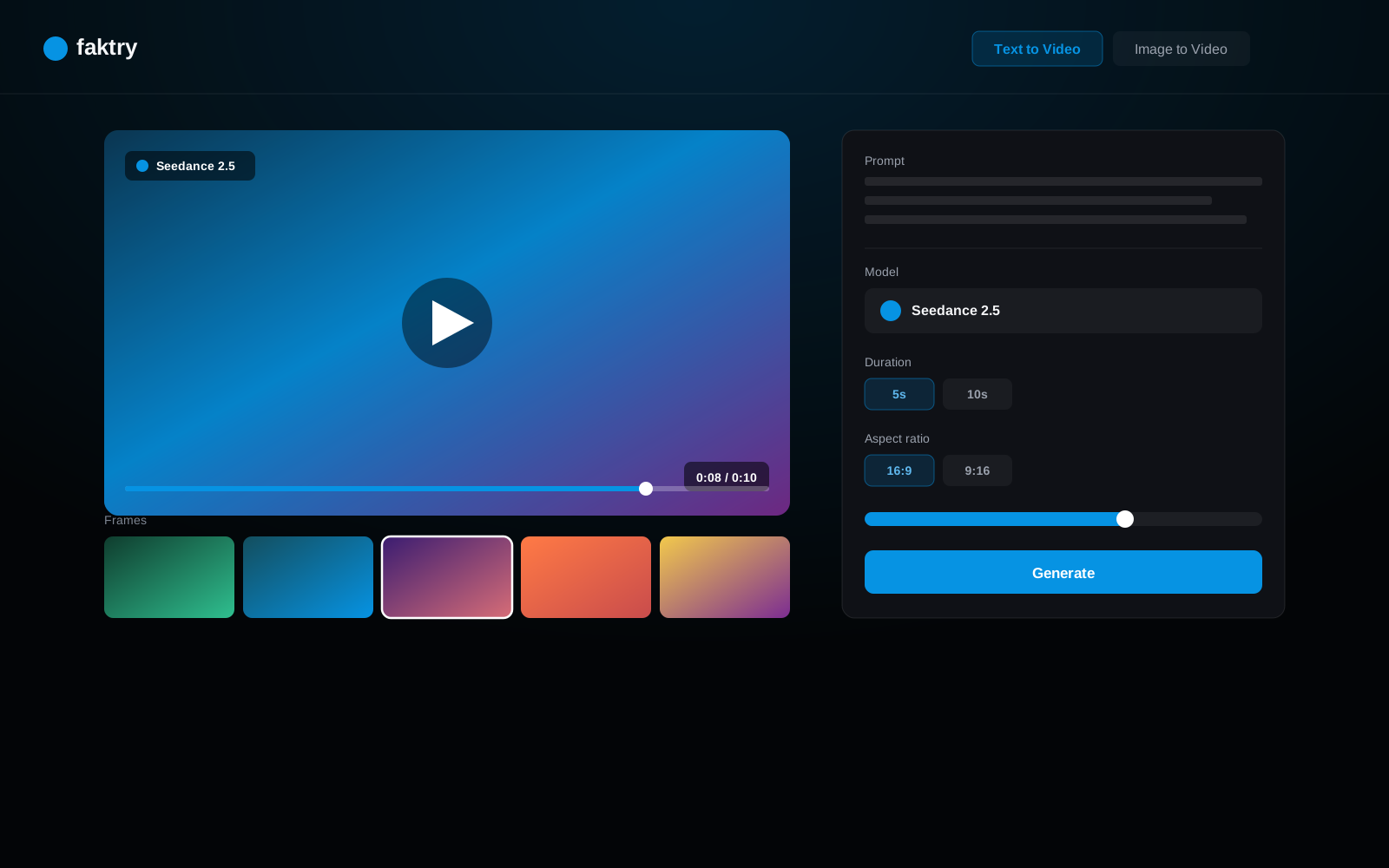
Text to Video

Describe your video in plain text and choose from 10+ generation models based on your use case. Veo 3.1 (Google) produces cinematic-quality footage with strong physical realism — ideal for nature scenes, product demos, and brand films. Kling v2.5 and O3 (ByteDance) excel at controlled camera movement and precise subject motion. Sora 2 (OpenAI) handles creative and abstract concepts with high visual coherence. Wan 2.5 and LTX Video offer fast generation for rapid iteration when you need to explore options quickly. All models output MP4 files ready for immediate processing.

Image to Video

Turn any still image into a 5–10 second video clip with realistic motion. Upload a product photo and get a slow-rotation reveal. Upload a portrait and see natural head movement and blinking. Upload a landscape and watch clouds drift or water flow. The AI reads the scene and applies physically plausible motion without distorting the original composition. Combined with faktry's resize and merge operations, this is the fastest path from a still image catalog to animated social media content.

AI Video Edit

AI-powered video editing: extend clips, add transitions, apply style transfers, and enhance quality.

AI Effects

Apply AI-powered visual effects: slow motion, time-lapse, style transfer, color grading, and artistic filters.

AI Upscale

AI-powered video upscaling. Enhance resolution and quality of existing video footage.

Motion Control

Direct exactly how the camera moves through your scene. Motion Control gives you precise specification of camera paths — pan left, zoom in, orbit around a subject, dolly forward — using Kling v2.5 and Kling O3's built-in motion control system. Instead of describing camera movement in your prompt and hoping the AI interprets it correctly, you define it explicitly. This is how agency teams produce consistent B-roll with predictable framing: lock down the shot composition before generating, so every clip in a sequence matches. Motion Control works with both text-to-video and image-to-video generation.

Processing & Conversion

Trim

Cut video clips to precise timestamps. Set start and end points with frame accuracy.

Merge Videos

Combine multiple video clips into one. Maintain quality and handle format differences automatically.

Resize

Change video dimensions and aspect ratios. Resize for social media, presentations, or web.

Convert Formats

Convert between MP4, MOV, WebM, AVI, and more. Control codec, bitrate, and quality settings.

Extract Audio

Extract audio tracks from video files. Save as MP3, WAV, or other audio formats.

Replace Audio

Strip the default audio from any AI-generated or uploaded video and replace it with a professional-quality audio track. Common use cases: adding a narrated voiceover generated with faktry's TTS tools in the same session, laying in licensed background music, or substituting a cleaner recording when the original has noise or AI-generated audio artifacts. The operation preserves the original video track exactly and syncs the new audio to match the video duration — no manual frame alignment required.

Create GIF

Convert video clips to animated GIFs. Control frame rate, quality, and loop settings.

Export Frames

Extract individual frames as images. Capture specific moments from your video.

Loop Video

Create seamless video loops. Set loop count and handle transitions smoothly.

Download

Download videos from URLs. Support for YouTube, Vimeo, and direct video links.

10+ AI Video Models

Access the best video generation models from leading providers — all through one platform.

Veo 3.1
Google
Kling v2.1
Kling
Kling v2.5
Kling
Kling O3
Kling
Sora 2
OpenAI
Wan 2.5
Wan
LTX Video
LTX
MiniMax
MiniMax
Hailuo
Hailuo
Pika
Pika

From Generation to Export

Generate with AI. Edit and process. Export in any format.

Social Media

A creator generates a 10-second cinematic shot with Veo 3.1 for a product launch. They trim it to exactly 7 seconds to fit Instagram Reel requirements, resize from 16:9 to 9:16 portrait for TikTok and Reels, then add a custom voiceover generated in the same session using ElevenLabs TTS. The final video is exported as MP4 and immediately available in the content library for upload. The entire workflow — from text prompt to platform-ready Reel — takes under 10 minutes.

AI generation
Precise trimming
Platform resize

Marketing

A marketing team needs a 30-second ad from five individual AI-generated scenes. They generate each clip separately using different Kling v2.5 prompts, trim each to 6 seconds, merge all five into a single sequence, replace the AI-generated audio with a brand-approved music track, and export the final 30-second MP4 at high quality for digital ad placement. No video editing software required — the entire assembly and audio replacement happens inside faktry.

AI generation
Merge clips
Replace audio

Content Creation

A content creator builds an animated GIF series for email marketing. They generate six short video clips from product prompts using LTX Video (fast generation for rapid iteration), trim each to 3 seconds, and convert each to an optimized GIF with a controlled frame rate to keep file sizes under 1MB for email client compatibility. All six GIFs are downloaded in one batch. No Photoshop timeline required, no frame-by-frame export — the entire set is ready in one session.

Image to video
GIF creation
Frame export

Post-Production

A social media manager finds a YouTube video they want to repurpose. They download the video directly through faktry, trim the key 45-second segment, apply a color grading effect to match their brand palette, extract the audio separately for a podcast version, resize the video to square format for LinkedIn, and export both versions. Every step — download, trim, effects, audio extract, resize — runs inside one platform session without any files needing to transfer between tools.

Video download
AI effects
Format conversion

Complete Video Processing

Generate with AI. Process with professional tools. All in one place.

15 operations includedFREE CREDITS

10+ AI video generation models
Trim, merge, resize, convert
Extract & replace audio
GIF creation & frame export
Get Started Now

Frequently Asked Questions

How do I generate a video from text?

Write a descriptive text prompt — what the scene looks like, the subject, camera movement, and mood — and choose an AI model. Veo 3.1, Kling, and Sora 2 are the top choices for quality. The model generates a 5–10 second MP4 video clip that you can immediately trim, resize, merge, or export. No video production experience is required.

What is the best AI model for video generation?

Veo 3.1 (Google) produces the highest cinematic quality and handles complex scenes with realistic physics and lighting — best for brand films and product showcases. Kling v2.5 (ByteDance) offers the best motion control with camera path settings. Sora 2 (OpenAI) excels at creative and abstract interpretations. LTX Video and Wan 2.5 are the fastest options for rapid iteration when you're exploring concepts.

Can I animate a still image into a video?

Yes, using the Image to Video operation. Upload any photo or AI-generated image and the model adds realistic motion to the scene — camera pans, subject movement, environmental animation like wind or water. The result is a 5–10 second MP4 clip. This is particularly effective for product photography, portraits, and landscape shots.

How do I create a GIF from a video?

Use the Create GIF operation. Upload or generate a video clip, set the start and end time for the GIF segment, choose frame rate (lower frame rate = smaller file size), and export. faktry outputs an optimized animated GIF. For email marketing use cases, a frame rate of 10–15fps typically keeps GIF files under 1MB.

How do I replace audio in a video?

Use the Replace Audio operation. Upload your video and the new audio file (MP3, WAV, or other supported format), and faktry swaps the audio track while preserving the original video. Common uses include adding a narrated voiceover, replacing AI-generated audio with professional music, or cleaning up a noisy original audio track.

What video aspect ratios does faktry support?

faktry supports any aspect ratio through the Resize operation. Common presets include 16:9 (YouTube, ads, presentations), 9:16 (TikTok, Instagram Reels, Shorts), 1:1 (Instagram feed, LinkedIn), and 4:5 (Instagram portrait). AI generation models support 16:9 and 9:16 natively, and the resize operation handles any custom dimension you need.